
UDP
Stream SCADA provides a UDP Server that listens to one way UDP messages from other stream servers.
UDP Server Configuration
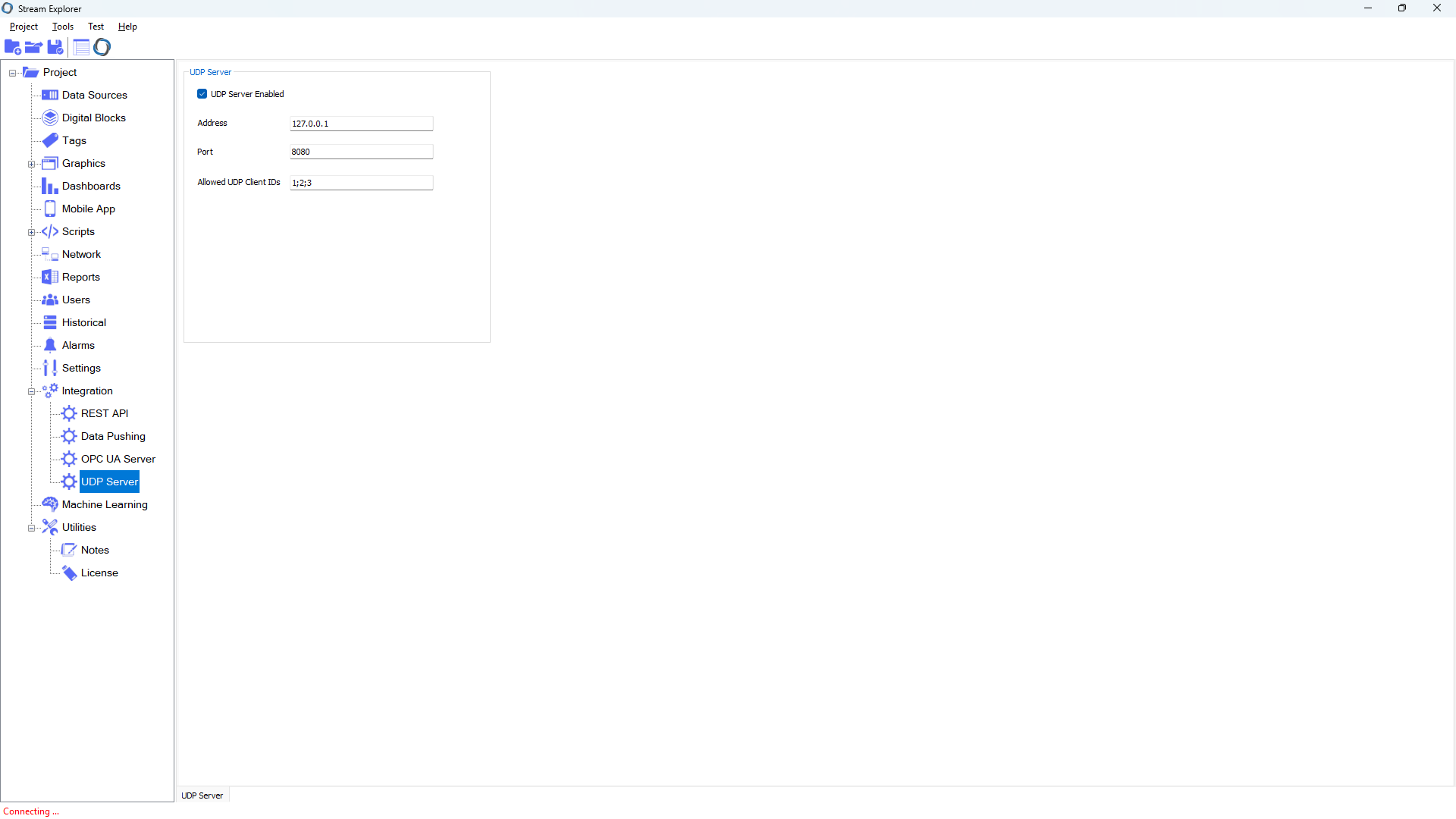
• UDP Server Enabled (Boolean)
Enables or disables the UDP server.
- True: The server listens for incoming UDP packets.
- False: The UDP server is disabled.
• Address (String)
Specifies the local IP address to bind the UDP server to.
- Example: 192.168.1.100
- Leave empty to bind to all available interfaces.
• Port (Integer)
The UDP port number on which the server will listen for incoming packets.
- Example: 6000
• Allowed UDP Client IDs (String)
Specifies the allowed sender Stream Servers UDP IDs, separated by semicolons.
- Example: 1;2;3;4;5;6;7;8
- Used for validating or filtering incoming messages from specific clients.