
Build Your First Data Integration Plugin
Build Your First Data Integration Plugin
1. We'll use Visual Studio 2022 (or 2019) for this purpose.
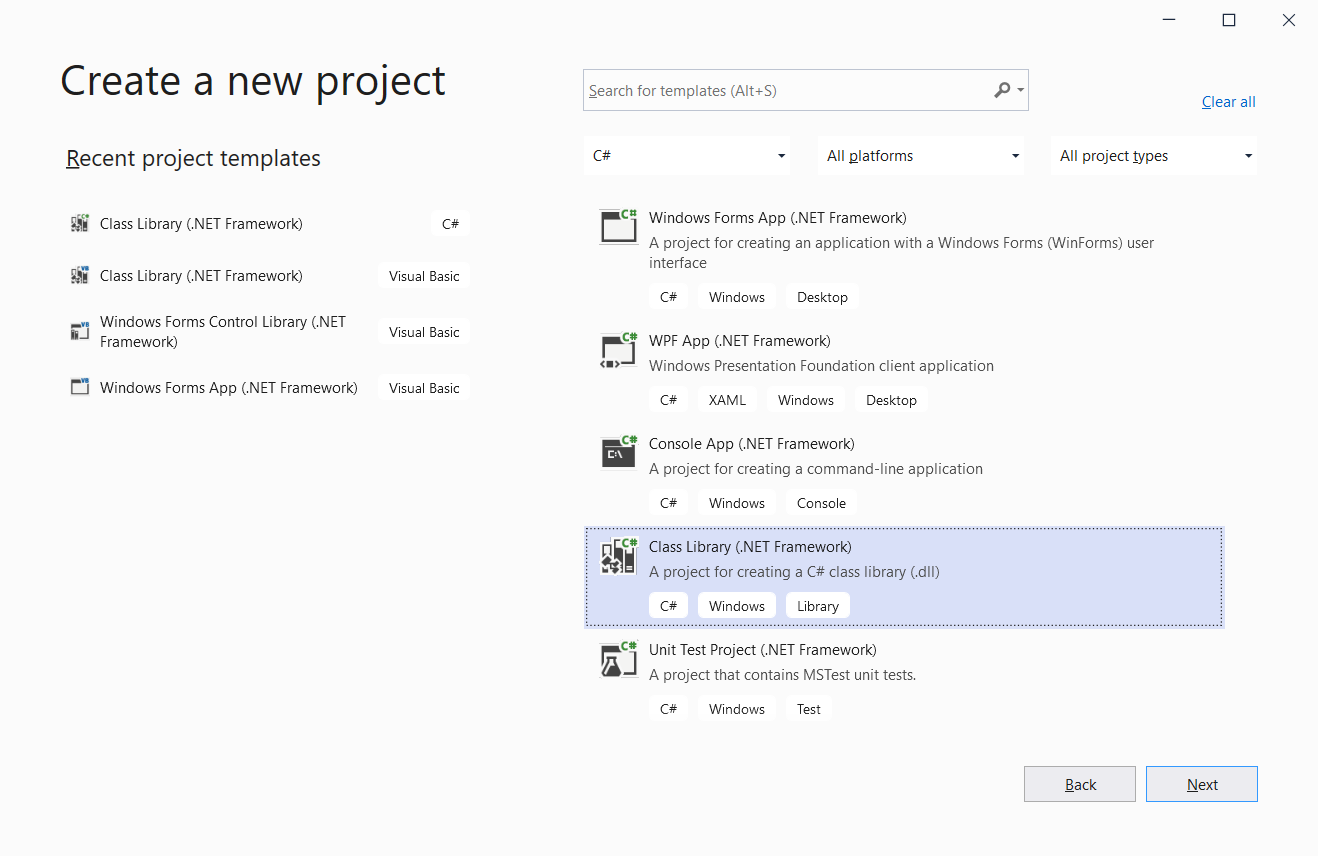
2. C# Code:
using Stream.Common.Shared;
using System;
using System.Collections.Generic;
using System.Net.Http;
using System.Threading.Tasks;
namespace SimpleHttpPlugin
{
// Note: Inherits DataDestinationPluginBase to get helper methods
public class SimpleHttpPlugin : DataDestinationPluginBase
{
private HttpClient _httpClient;
// Configuration properties (set by UI)
public string ApiUrl { get; set; }
public string ApiKey { get; set; }
// Required: Plugin metadata
public override string DisplayName => "Simple HTTP API";
public override string Version => "1.0.0";
// Required: Initialize resources
public override void Initialize()
{
_httpClient = new HttpClient();
if (!string.IsNullOrEmpty(ApiKey))
{
_httpClient.DefaultRequestHeaders.Add("Authorization", $"Bearer {ApiKey}");
}
}
// Required: Push data to destination
public override async Task<PluginResponse> PushDataAsync(List<object> data)
{
try
{
// Extract tag values using helper method
var tagValues = ExtractAllTagValues(data);
if (tagValues.Count == 0)
{
return CreateSuccessResponse("No data to push");
}
// Convert to JSON using helper method
var json = System.Text.Json.JsonSerializer.Serialize(tagValues);
var content = new StringContent(json, System.Text.Encoding.UTF8, "application/json");
// Send to API
var response = await _httpClient.PostAsync(ApiUrl, content);
if (response.IsSuccessStatusCode)
{
return CreateSuccessResponse($"Pushed {tagValues.Count} values");
}
else
{
return CreateErrorResponse($"API returned {response.StatusCode}");
}
}
catch (Exception ex)
{
return CreateErrorResponse("Push failed", ex.Message);
}
}
// Required: Cleanup
public override void Disconnect()
{
_httpClient?.Dispose();
}
}
}
VB.net Example:
Imports Stream.Common.Shared
Imports System
Imports System.Collections.Generic
Imports System.Net.Http
Imports System.Threading.Tasks
' Note: Inherits DataDestinationPluginBase to get helper methods
Public Class SimpleHttpPluginVB
Inherits DataDestinationPluginBase
Private _httpClient As HttpClient
' Configuration properties (set by UI)
Public Property ApiUrl As String
Public Property ApiKey As String
' Required: Plugin metadata
Public Overrides ReadOnly Property DisplayName As String
Get
Return "Simple HTTP API"
End Get
End Property
Public Overrides ReadOnly Property Version As String
Get
Return "1.0.0"
End Get
End Property
' Required: Initialize resources
Public Overrides Sub Initialize()
_httpClient = New HttpClient()
If Not String.IsNullOrEmpty(ApiKey) Then
_httpClient.DefaultRequestHeaders.Add("Authorization", $"Bearer {ApiKey}")
End If
End Sub
' Required: Push data to destination
Public Overrides Async Function PushDataAsync(data As List(Of Object)) As Task(Of PluginResponse)
Try
' Extract tag values using helper method
Dim tagValues = ExtractAllTagValues(data)
If tagValues.Count = 0 Then
Return CreateSuccessResponse("No data to push")
End If
' Convert to JSON
Dim json = System.Text.Json.JsonSerializer.Serialize(tagValues)
Dim content = New StringContent(json, System.Text.Encoding.UTF8, "application/json")
' Send to API
Dim response = Await _httpClient.PostAsync(ApiUrl, content)
If response.IsSuccessStatusCode Then
Return CreateSuccessResponse($"Pushed {tagValues.Count} values")
Else
Return CreateErrorResponse($"API returned {response.StatusCode}")
End If
Catch ex As Exception
Return CreateErrorResponse("Push failed", ex.Message)
End Try
End Function
' Required: Cleanup
Public Overrides Sub Disconnect()
_httpClient?.Dispose()
End Sub
End Class