
Build Your First GUI Plugin
Build Your First GUI Plugin
Note: We'll use Visual Studio 2022 (or 2019) for this purpose
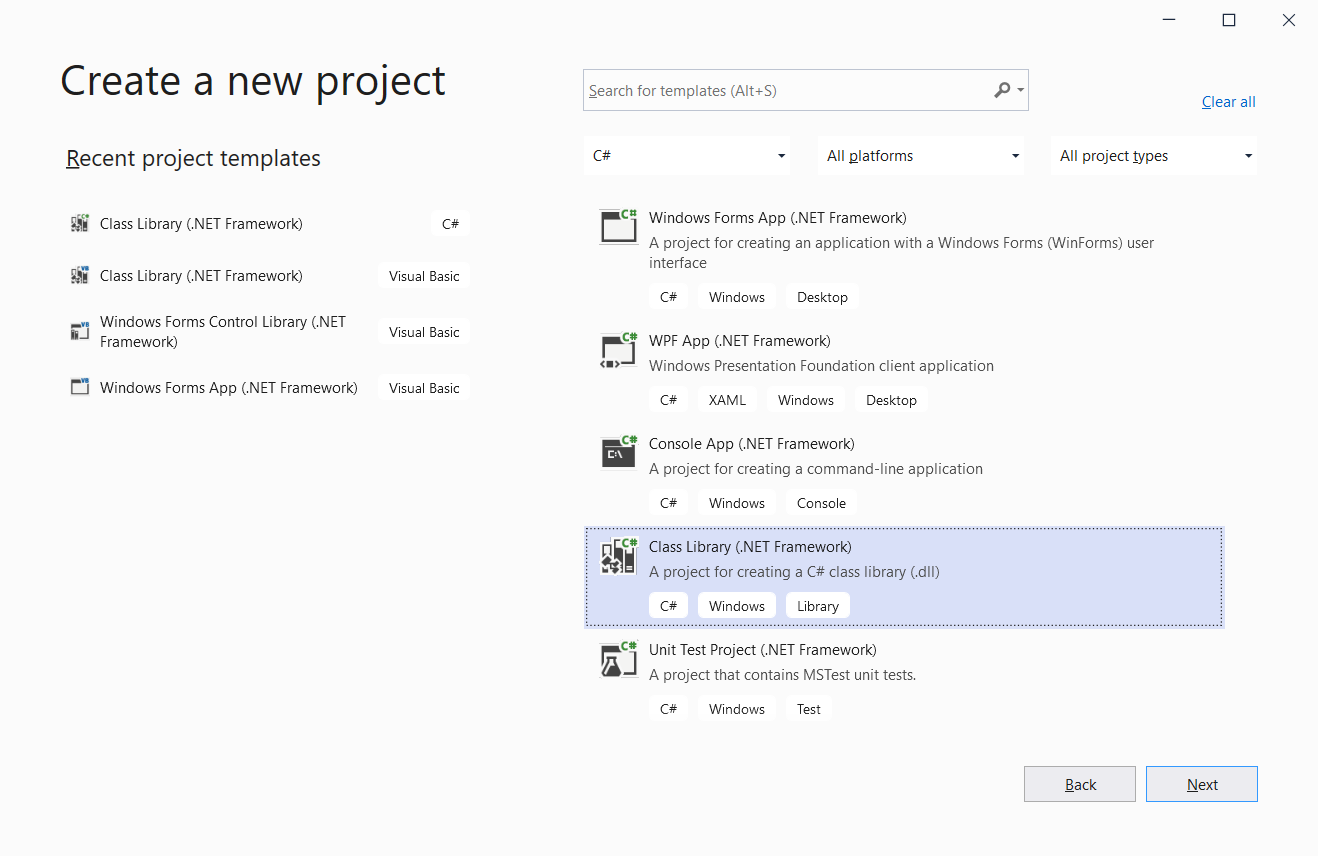
1) In Visual Studio, Create a Class Library project
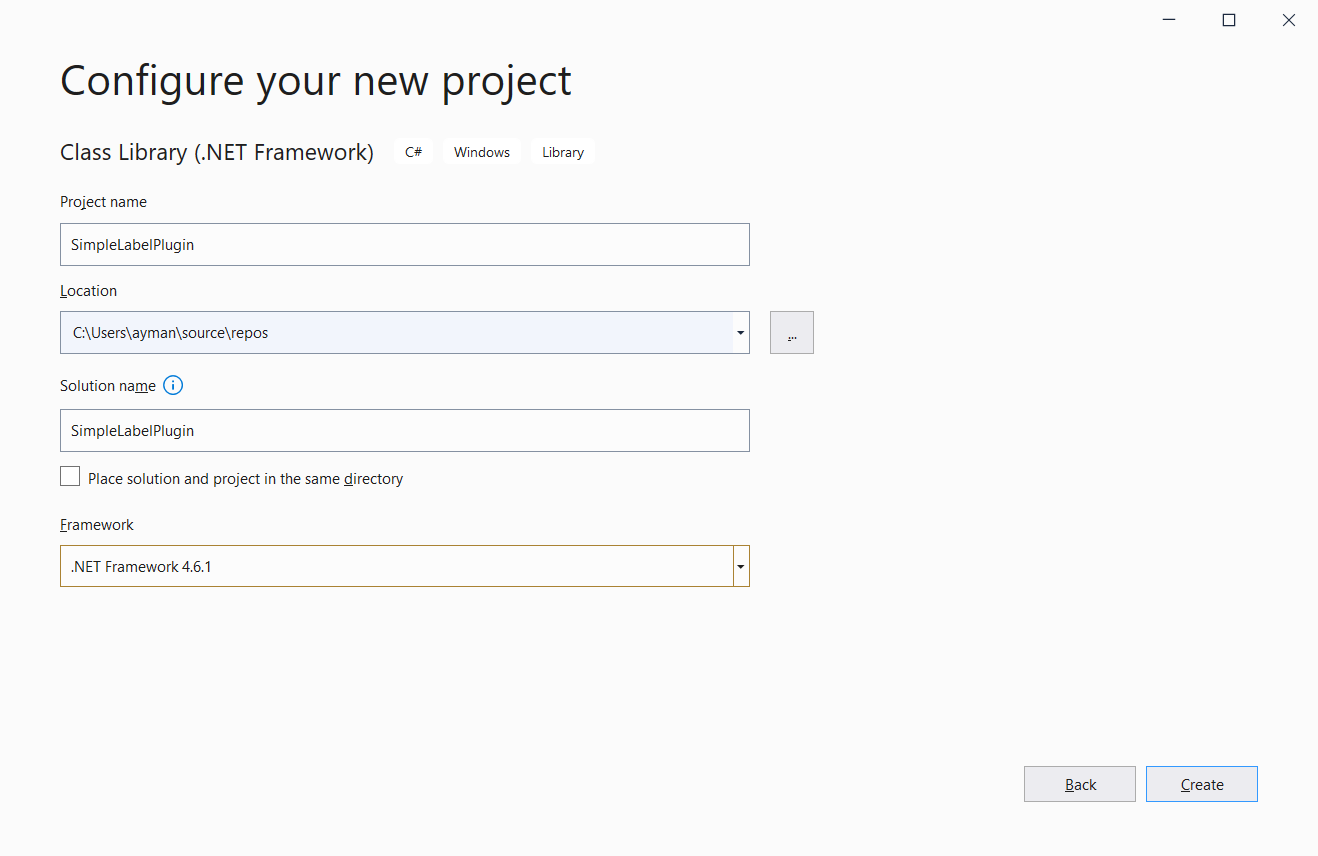
2. Choose .NET Framework 4.6.1
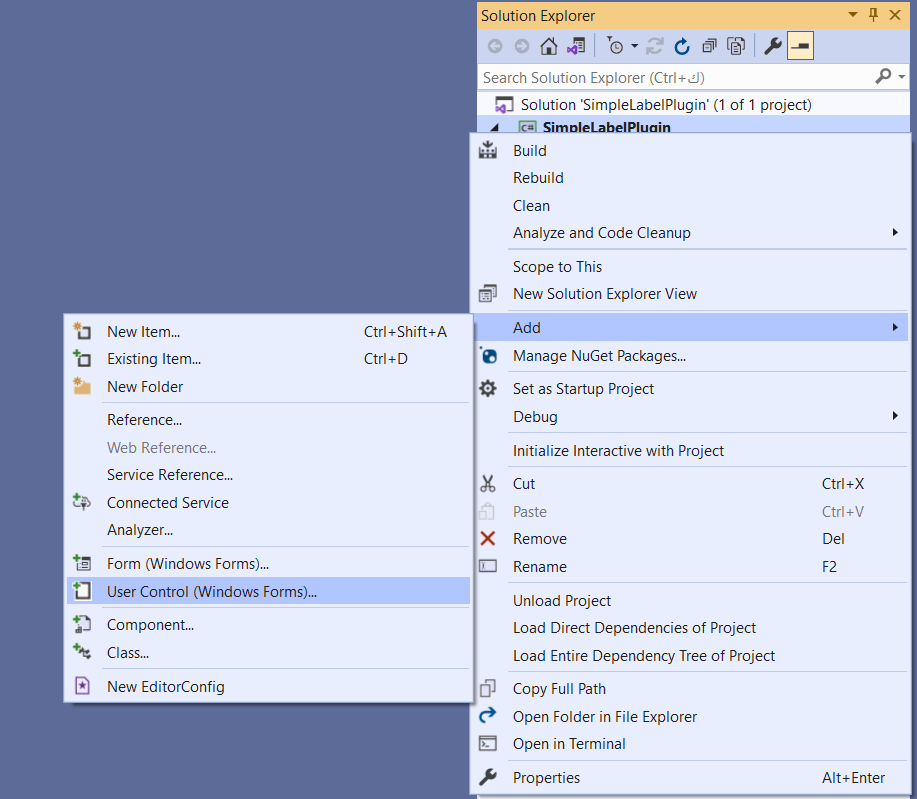
3. Remove "Class1" and add a new UserControl
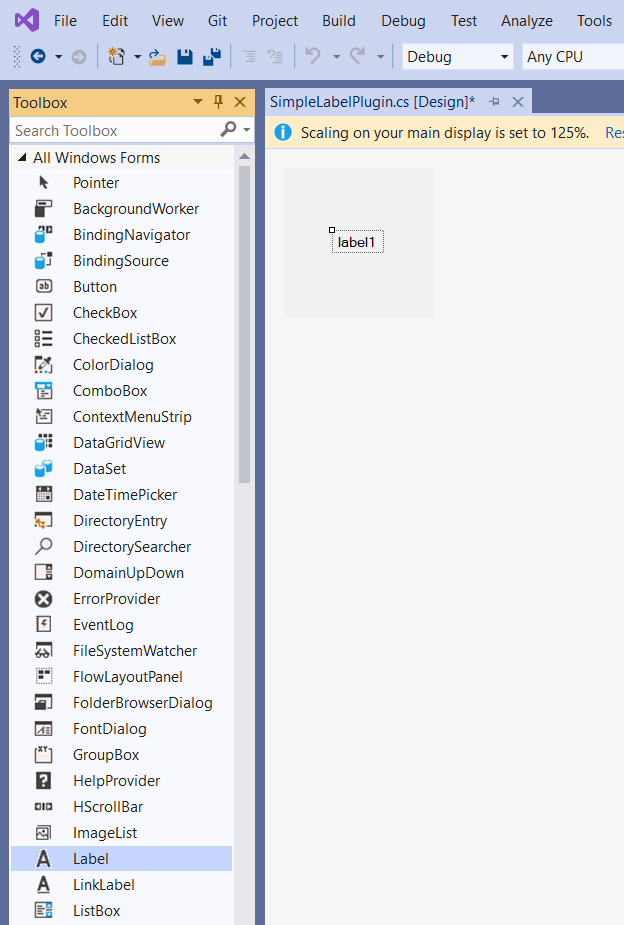
4. From the Toolbox, add a "Label" object
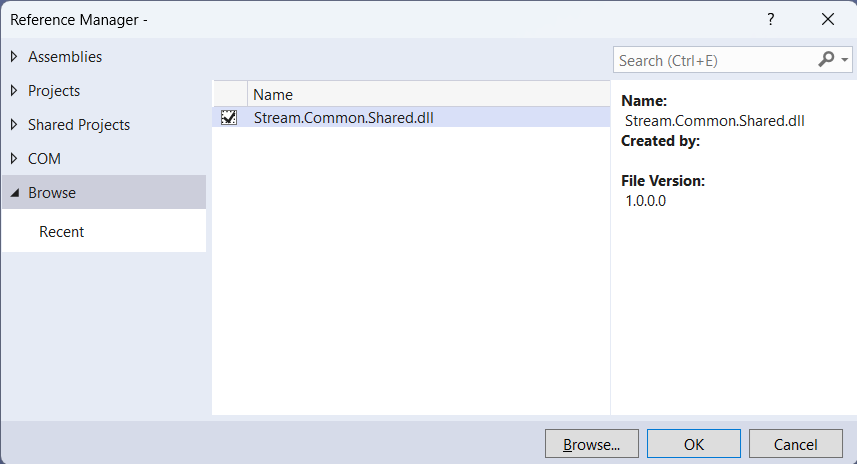
5. Add reference to Stream.Common.Shared.
6. Here's a simple code in both C# and VB.NET
C# Example:
using Stream.Common.Shared;
using System;
using System.Windows.Forms;
namespace SimpleLabelPlugin
{
// Note: Inherits UserControl for designer support, implements IPluginView directly
// Cannot inherit from PluginViewBase due to single inheritance limitation
public partial class SimpleLabelPlugin : UserControl, IPluginView
{
private IHostServices _host;
public string Tag1 { get; set; }
public string Tag2 { get; set; }
public SimpleLabelPlugin()
{
InitializeComponent(); // <-- create label1 and wire designer events
this.Load += SimpleLabelPlugin_Load; // optional
this.Click += SimpleLabelPlugin_Click; // optional
}
private void SimpleLabelPlugin_Load(object sender, EventArgs e)
{
}
public void Initialize(IHostServices host)
{
_host = host;
}
public Control GetControl()
{
return this;
}
private void SimpleLabelPlugin_Click(object sender, EventArgs e)
{
MessageBox.Show("Clicked");
//Examples:
//_host.Tags.WriteValue(Tag2, any_value);
}
public void PluginUpdate()
{
try
{
if (_host?.Tags != null && !string.IsNullOrEmpty(Tag1))
{
this.label1.Text = _host.Tags.ReadValue(Tag1)?.ToString() ?? "N/A";
}
}
catch
{
// Code to run in case of Exception
}
}
}
}
VB.NET Example:
Imports System.Windows.Forms
Imports Stream.Common.Shared
' Note: Inherits UserControl for designer support, implements IPluginView directly
' Cannot inherit from PluginViewBase due to single inheritance limitation
Public Class SimpleLabelPluginVB
Inherits UserControl
Implements IPluginView
Private _host As IHostServices
Public Property Tag1 As String
Public Property Tag2 As String
Public Sub Initialize(host As IHostServices) Implements IPluginView.Initialize
_host = host
End Sub
Public Function GetControl() As Control Implements IPluginView.GetControl
Return Me
End Function
Private Sub SimpleLabelPluginVB_Click(sender As Object, e As EventArgs) Handles Me.Click
'_host.Tags.Write("Pump1.Speed_SP", Now.Second)
MsgBox("clicked")
'Examples:
'_host.Tags.WriteValue(Tag2, any_value)
End Sub
Public Sub PluginUpdate()
Try
If _host Is Nothing OrElse _host.Tags Is Nothing Then Return
' Read multiple tags at once using ReadValues
Dim tagNames = {Tag1, Tag2}
Dim values = _host.Tags.ReadValues(tagNames)
' Update Label1 with Tag1 value
If Not String.IsNullOrEmpty(Tag1) AndAlso values.ContainsKey(Tag1) Then
Dim value1 = values(Tag1)
Me.Label1.Text = If(value1?.ToString(), "N/A")
Else
Me.Label1.Text = "N/A"
End If
' Update Label2 with Tag2 value
If Not String.IsNullOrEmpty(Tag2) AndAlso values.ContainsKey(Tag2) Then
Dim value2 = values(Tag2)
Me.Label2.Text = If(value2?.ToString(), "N/A")
Else
Me.Label2.Text = "N/A"
End If
Catch ex As Exception
' Silently handle errors to prevent plugin from crashing the host
Me.Label1.Text = "Error"
Me.Label2.Text = "Error"
Debug.WriteLine($"[SimpleLabelPluginVB] Error in PluginUpdate: {ex.Message}")
End Try
End Sub
Private Async Sub btnOpenWindow_Click(sender As Object, e As EventArgs) Handles btnOpenWindow.Click
Await OpenWindow()
End Sub
Async Function OpenWindow() As Task
Try
' Check if navigation service is available
If _host Is Nothing OrElse _host.Navigation Is Nothing Then
MsgBox("Navigation service not available", MsgBoxStyle.Exclamation)
Return
End If
' Build dynamic properties dictionary
' Keys are placeholders (e.g., {CONTROLLER_NAME}) that will be substituted in the target window
' Values are the actual values to use
Dim dynamicProps As New Dictionary(Of String, String) From {
{"{CONTROLLER_NAME}", "C002"},
{"{CONTROLLER_ALARM}", "ControllerAlarms"},
{"{CONTROLLER_LABEL}", "C002_Label"}
}
' Serialize to JSON for the navigation service
Dim jsonDict As String = JsonConvert.SerializeObject(dynamicProps)
' Open as popup with dynamic properties
Dim options As New WindowOpenOptions With {
.WindowName = "Details.edd",
.WindowTitle = "Controller Details",
.IsPopup = True,
.IsTopMost = True,
.KeepCurrentWindow = True,
.DynamicPropertiesJson = jsonDict
}
Dim success = Await _host.Navigation.OpenWindowWithOptions(options)
If Not success Then
MsgBox("Failed to open window. Check if the page exists.", MsgBoxStyle.Exclamation)
End If
Catch ex As Exception
MsgBox($"Error opening window: {ex.Message}", MsgBoxStyle.Critical)
End Try
End Function
End Class
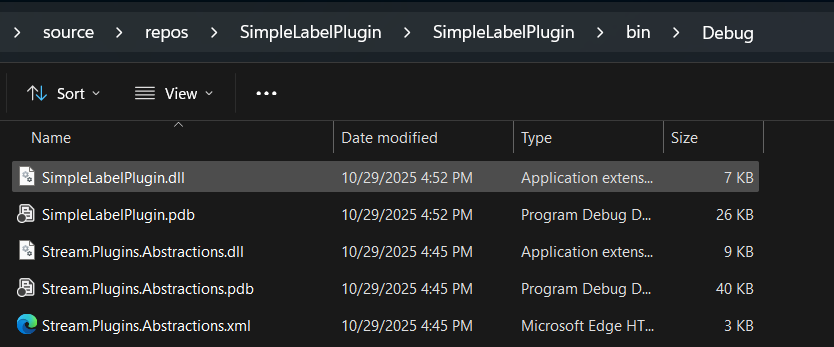
7. Build the project, and locate the dll file
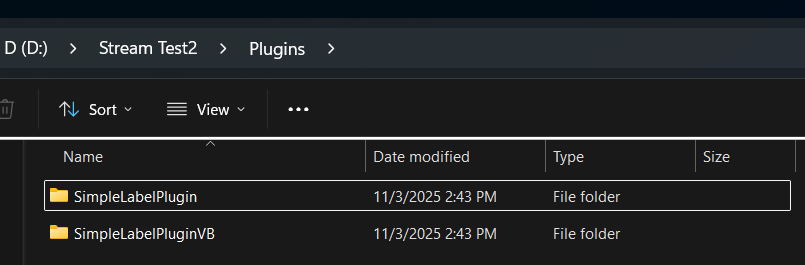
8. Copy the dll file (and all preerquistes) to Stream application folder under "Plugins\plugin name"
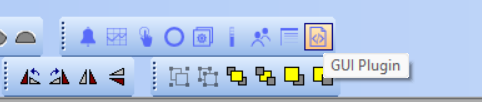
9. In the Graphics Builder, place a new "GUI Plugin" and select the required one.
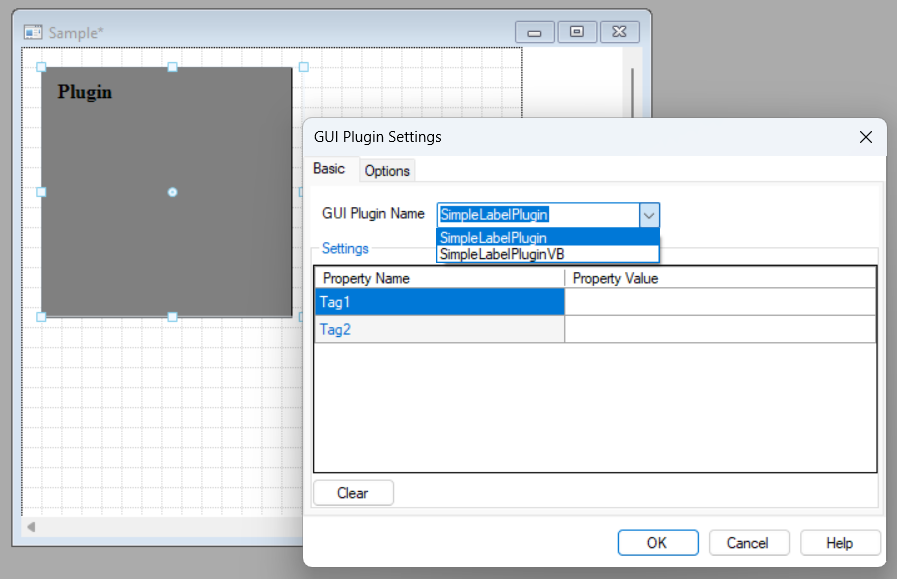
10. Notice the properties (matching the global properties in the dll)
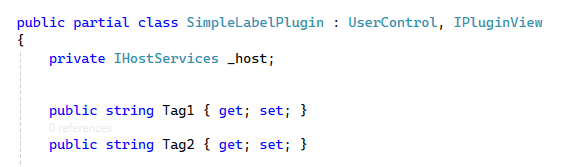
11. You can use Tags or Dynamic Parameters (or any static values as it doesn't have to be Tags).